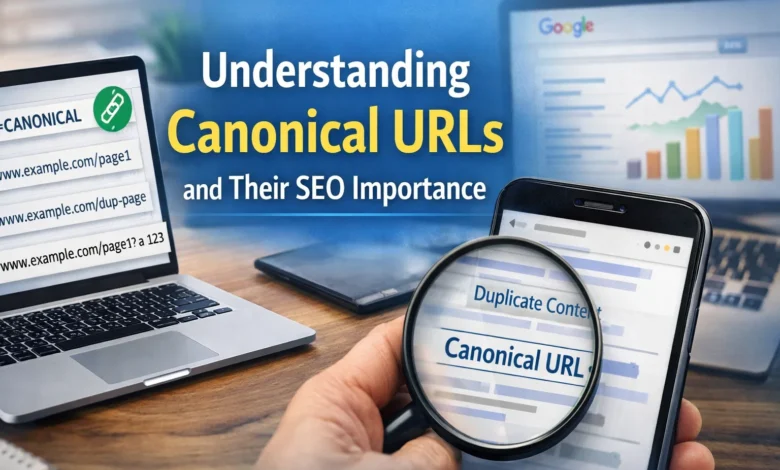
Search engines try to show users the most useful and relevant pages. Many websites create multiple URLs that show the same or very similar content. This often happens due to filters, tracking parameters, pagination, or content management systems. When search engines see these similar pages, they may get confused about which page should rank.
A canonical URL helps solve this problem by telling search engines which page version is the main one. It guides search engines to index the correct page and ignore duplicates. Understanding canonical URLs is important for website owners who care about SEO health and performance.
What Is a Canonical URL?
A canonical URL is the preferred version of a webpage that search engines should index. Google treats this URL as the master page when similar or duplicate pages exist. Other versions are seen as copies and usually ignored for ranking purposes.





You can think of a canonical URL like an original document. Other pages with similar content are treated like photocopies of that document. Search engines want to store and show only the original version. The canonical URL helps them decide which version that is.
Canonical URLs are especially useful for large websites, ecommerce stores, blogs, and news platforms. These websites often generate multiple URLs automatically for the same content. Without canonicals, search engines may index the wrong page or split ranking signals.
Why Canonical URLs Are Important for SEO?
Canonical URLs are important because Google usually indexes only canonical pages. If your website has duplicate content, Google will select one page to index. Other similar pages may be ignored or removed from search results.
When you set canonical URLs correctly, you help Google understand your preference. Google usually respects your choice when canonical tags are properly implemented. This helps protect rankings and avoids SEO confusion.
If you do not set canonical URLs, Google will choose one automatically. This selected URL may not be ideal for your SEO goals. It may include tracking parameters or unnecessary filters. Setting canonical URLs manually gives you more control.
Canonical URLs also help consolidate ranking signals. Links, relevance, and authority get assigned to one page instead of many. This improves the strength of the selected page in search results.
How Duplicate Content Happens on Websites?
Duplicate content is very common and often happens without intention. Ecommerce websites frequently create multiple URLs through product filters. Blog platforms may create duplicates through tags, categories, or pagination.

Tracking parameters also create duplicate pages. Marketing campaigns often add UTM parameters to URLs. These URLs show the same content but appear different to search engines.
HTTP and HTTPS versions can also create duplicates. The same happens with www and non-www versions. Printer-friendly pages and session IDs also increase duplication.
Canonical URLs help manage all these situations effectively. They guide search engines toward the correct page version.
How Search Engines Choose a Canonical URL?
Google uses several signals to choose a canonical URL. These include internal links, sitemaps, redirects, and content similarity. The canonical tag is one of the strongest signals.
When you use a canonical tag, you are telling Google which page is preferred. Google usually follows this instruction if the pages are truly similar. However, Google may ignore the tag if pages differ significantly.
Using clear and consistent signals increases the chances of Google respecting your choice. Canonical tags should match other SEO signals across the website.
What Is a Canonical Tag?
A canonical tag is a piece of HTML code placed inside the head section. It tells search engines which URL is the canonical version of the page. The tag uses a rel attribute with a canonical value.
The canonical tag points from a page to its preferred version. It can point to itself or another URL. Search engines read this tag while crawling pages.
Canonical tags do not redirect users. Visitors stay on the same page. Only search engines use this information for indexing decisions.
Example of Canonical URLs in Ecommerce Websites
Ecommerce websites often generate many similar URLs through filters. For example, a T-shirt category page may have several filtered versions. These filtered URLs usually show nearly identical product listings.

A master category page lists all products. Filtered pages show subsets based on size or color. Without canonicals, search engines may index all versions. This creates duplication and weakens SEO signals.
You guide search engines correctly by setting the master category page as canonical. All filtered pages point back to the main category page. This ensures Google indexes only the preferred URL.
How to Set a Canonical URL Properly?
To set a canonical URL, you need to add a canonical tag to the page head section. The tag should include the full preferred URL. Absolute URLs are always recommended for accuracy.
Each duplicate or similar page should reference the correct canonical version. The canonical page itself can use a self-referencing canonical tag. This confirms it is the preferred version.
Canonical tags should be consistent across the website. They should match internal links, sitemaps, and redirects. Consistency increases trust and SEO effectiveness.
Self-Referencing Canonical URLs Explanation
A self-referencing canonical tag points a page to itself. This tells search engines that the page is the preferred version. It helps avoid confusion when multiple URLs exist.
Self-referencing canonicals are useful even when duplicates do not seem obvious. CMS systems sometimes create hidden duplicates automatically. The canonical tag protects your page from accidental duplication.
Google considers self-referencing canonicals a strong signal. While indexing is not guaranteed, it improves clarity and control. Every important page should include a self-referencing canonical tag.
Canonical URLs and XML Sitemaps
Your xml sitemap should list only canonical URLs. Google treats sitemap URLs as suggested canonical pages. Including non-canonical URLs can send mixed signals.
When non-canonical URLs appear in sitemaps, Google may get confused. This can reduce crawl efficiency and indexing accuracy. Sitemap cleanliness is important for technical SEO.
Regular sitemap audits help maintain accuracy. Tools like SEO crawlers can identify non-canonical URLs in sitemaps. Removing them improves site structure clarity.
Avoid Using 404 Pages as Canonical URLs
A 404 page indicates that a resource does not exist. Canonical URL should always point to live pages. Pointing canonicals to deleted pages creates serious SEO issues.
This problem often happens when pages are removed or renamed. Canonical tags may remain unchanged accidentally. Over time, these errors accumulate and affect SEO performance.
Regular site audits help detect canonical links pointing to 4XX pages. Replacing them with valid URLs restores proper indexing signals. Live pages should always be used as canonicals.
Canonical URLs Versus Redirects
Canonical tags and redirects serve different purposes. Redirects send users and search engines to another page. Canonical tags only guide search engines.
Redirects are useful when a page is permanently removed. Canonical tags are useful when pages must remain accessible. Choosing the correct method depends on the situation.

Using both together can strengthen signals. For example, redirecting HTTP to HTTPS and using canonicals helps consistency. However, avoid unnecessary duplication of signals.
Common Canonical URL Mistakes to Avoid
One common mistake is pointing canonical tags to irrelevant pages. Another mistake is using relative URLs instead of absolute ones. Some websites forget to update canonicals after site changes.
Using multiple canonical tags on one page also causes problems. Search engines may ignore all of them. Each page should have only one canonical tag.
Incorrect implementation reduces trust signals. Careful planning and testing prevent these mistakes. Consistent monitoring keeps canonical usage healthy.
How Canonical URLs Help Website Performance?
Canonical URLs improve crawl efficiency. Search engines spend less time crawling duplicates. This allows better coverage of important pages.
They also help consolidate ranking signals. Links and authority point to one page instead of many. This strengthens search visibility over time.
For large websites, canonicals are especially valuable. They help manage thousands of URLs efficiently. Proper canonical usage supports long-term SEO stability.
Best Practices for Using Canonical URLs
Always use self-referencing canonical tags on important pages. Ensure canonicals match sitemap URLs and internal links. Use absolute URLs consistently.
Avoid pointing canonicals to redirected or error pages. Keep canonical logic simple and logical. Regular audits help detect issues early.
Following best practices ensures search engines understand your website clearly. This improves indexing accuracy and search performance.
Final Thoughts
Canonical URLs are an essential part of technical SEO. They help search engines identify the correct page version to index. This prevents duplicate content problems and protects rankings.
Website owners gain better control over indexing by using canonical tags correctly. They also improve crawl efficiency and ranking strength. Canonical URLs support clean, organized, and search-friendly websites.
Every website with duplicate or similar pages should use canonicals. Proper implementation ensures long-term SEO health and stable search visibility.
FAQS
What is a canonical URL in SEO?
A canonical URL is the preferred version of a webpage for search engines. It tells Google which page should be indexed when similar or duplicate pages exist.
Why does Google use canonical URLs?
Google uses canonical URLs to avoid indexing duplicate content across multiple URLs. This helps search engines show the correct page and improves overall search quality.
What happens if canonical URLs are not set?
If canonical URLs are not set, Google chooses one version automatically. This selected version may not match your SEO goals or preferred page.
How does a canonical tag help search engines?
A canonical tag guides search engines toward the main page version. It clearly signals which URL should receive indexing and ranking signals.
Can a canonical URL point to another domain?
Yes, canonical URLs can point to another domain when content is duplicated. This is useful for syndicated content or cross-domain publishing situations.
What is a self-referencing canonical URL?
A self-referencing canonical URL points a page to itself as preferred. It confirms to search engines that the page should be treated as canonical.
Are canonical URLs the same as redirects?
No, canonical URLs and redirects serve different purposes in SEO. Canonical tags guide indexing, while redirects move users to another page.
Should non-canonical URLs appear in the sitemap?
No, only canonical URLs should be included in the sitemap. Including non-canonical URLs can confuse search engines and reduce crawl efficiency.
Can canonical URLs point to 404 pages?
Canonical URLs should never point to 404 pages or removed content. They must always reference live and accessible webpages.
How often should canonical URLs be checked?
Canonical URLs should be reviewed during regular SEO audits. Frequent checks help prevent errors caused by website updates or changes.