
Index bloat is a serious SEO issue that affects many medium and large websites. It happens when a website has too many indexed pages that bring little or no organic traffic. These pages take space in Google’s index but do not add real value to users or search performance.
We often see index bloat on growing websites. It develops slowly and stays unnoticed for years. Over time, it can reduce rankings, waste SEO effort, and weaken overall site quality. That is why understanding index bloat is critical for long-term SEO success.
This informative article is all about how index bloat works in simple words. We will cover how it works, why it matters, how to find it, and how to fix it safely.
Key Takeaways
- Index bloat happens when too many low-value pages stay indexed without traffic
- A large gap between indexed pages and traffic pages signals index health issues
- Index bloat is different from crawl budget and keyword cannibalization problems
- Blogs, user-generated content, listings, and e-commerce pages cause most bloat
- Regular audits help us find pages with zero or near-zero organic traffic
- Improving, consolidating, or removing weak pages strengthens overall SEO
- A gradual and planned cleanup delivers long-term ranking and crawl benefits
Understanding How Google Sees Your URLs
Index bloat means Google has indexed many URLs from our website, but most of them do not receive meaningful traffic. These pages exist, return a valid response, and stay indexed, yet they add no real value to users or search engines.
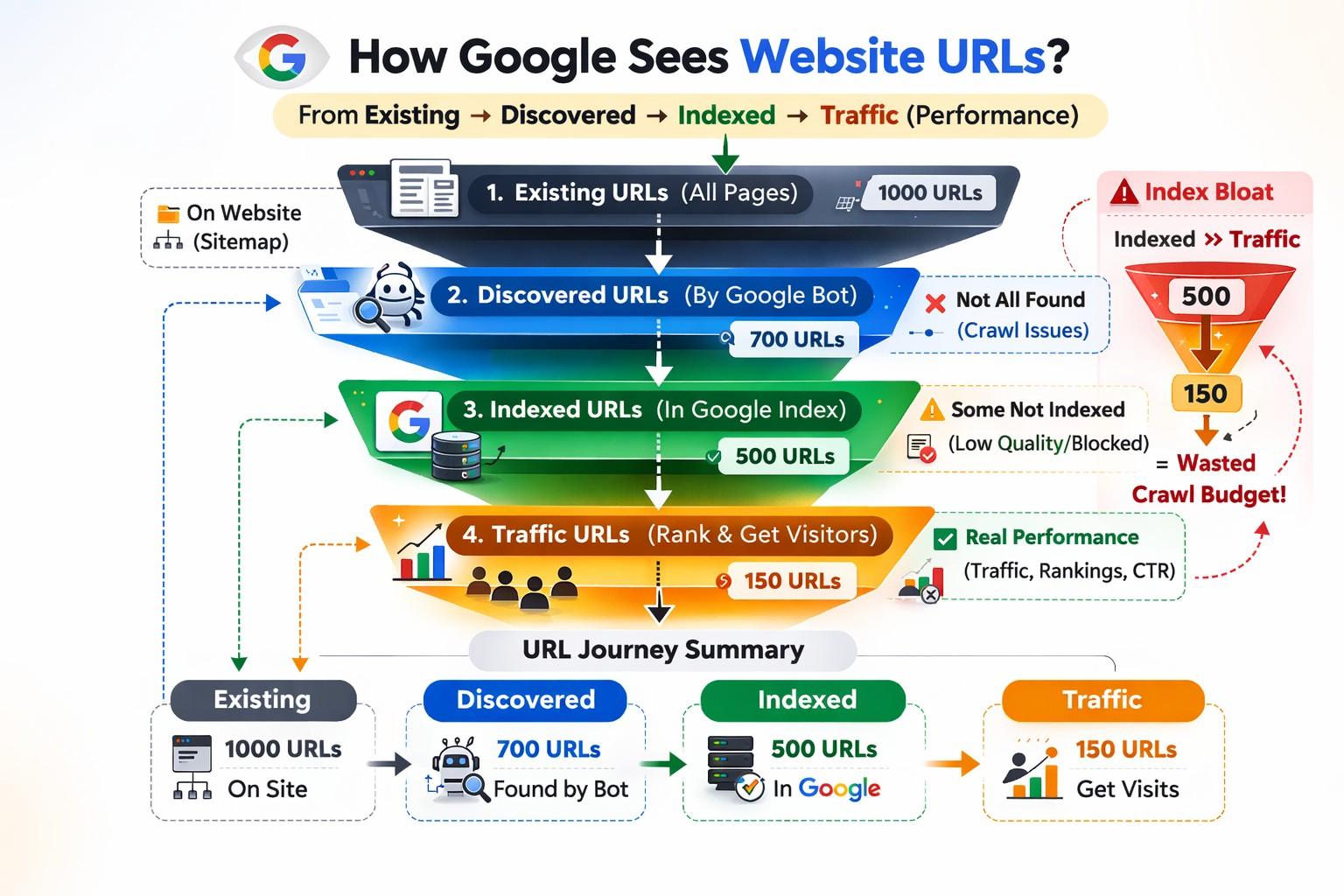
The Different URL Stages
Index bloat happens when the indexed URLs are far more than the traffic-generating URLs. Every website has several layers of URLs:
- All possible URLs
These include every page, filter, parameter, and variation that can return a valid page.
- Discovered URLs
Google knows these URLs exist, but may not crawl them.
- Crawled URLs
Google has visited these pages.
- Indexed URLs
Google has stored these pages in its index.
- Traffic-generating URLs
These pages receive real organic visits.
How Google Sees Website URLs?
Google sees our site as layers of URLs. Some URLs exist, some are discovered, some are indexed, and only a small portion receive traffic. Index bloat appears when the indexed layer is much larger than the traffic-earning layer.
- Existing URLs may never be discovered
- Discovered URLs may not be indexed
- Indexed URLs may not rank
- Traffic URLs show real performance
Indexed Pages vs Traffic-Generating Pages
Not every indexed page deserves to stay indexed. A healthy site has fewer indexed pages than traffic-earning pages. When this balance breaks, index bloat appears and weak pages start to outweigh strong ones.
- Indexed does not mean valuable
- Traffic shows real usefulness
- Zero-click pages signal low quality
- Large gaps indicate index bloat
Index Bloat vs Crawl Budget
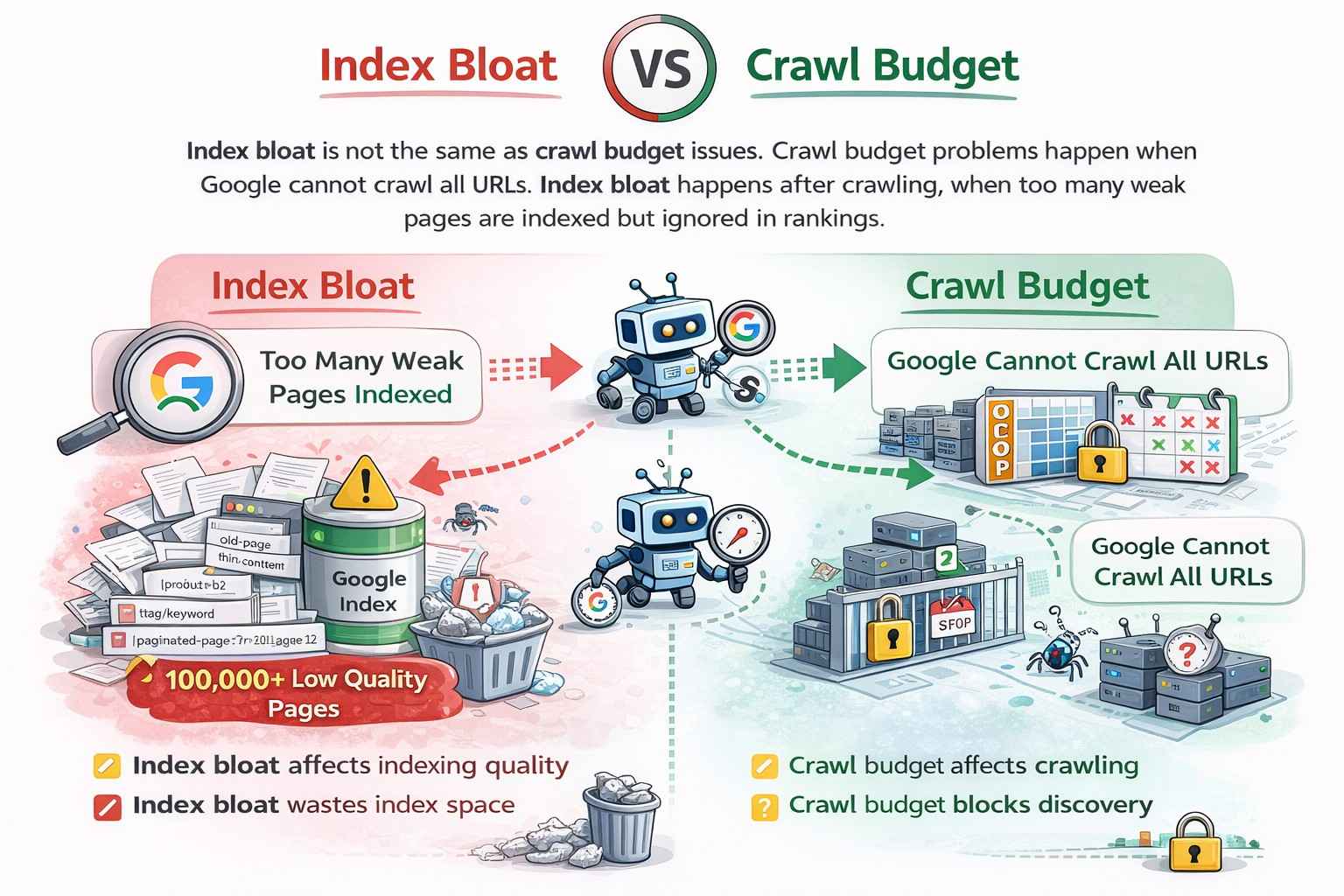
Index bloat is not the same as crawl budget issues. Crawl budget problems happen when Google cannot crawl all URLs. Index bloat happens after crawling, when too many weak pages are indexed but ignored in rankings.
- Crawl budget affects crawling
- Index bloat affects indexing quality
- Crawl budget blocks discovery
- Index bloat wastes index space
Index Bloat vs Keyword Cannibalization
Index bloat is also different from keyword cannibalization. Cannibalization can happen with a few pages targeting the same topic. Index bloat is a large-scale problem involving hundreds or thousands of low-value pages.
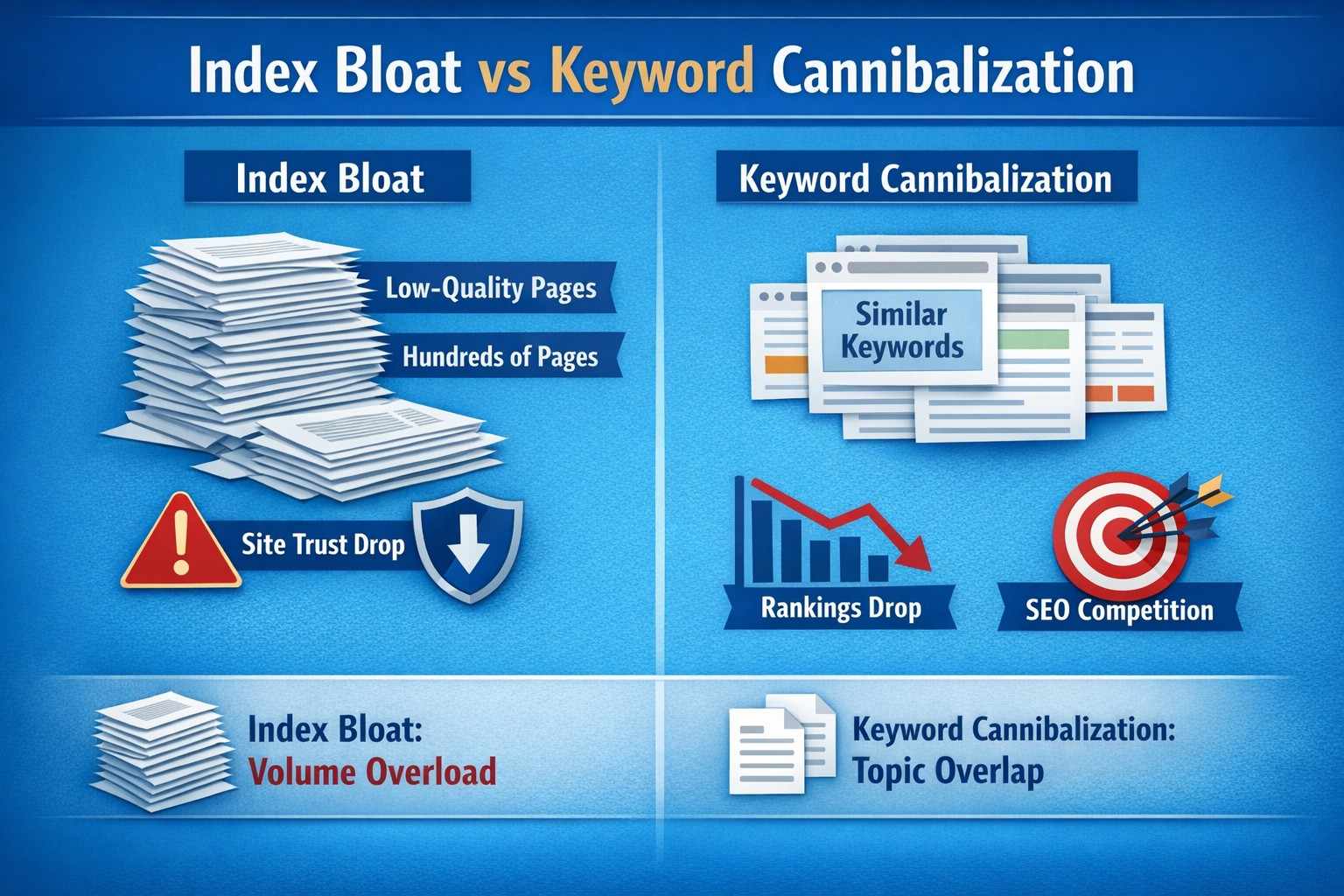
- Cannibalization affects rankings
- Index bloat affects site trust
- Cannibalization is topic overlap
- Index bloat is volume overload
Why Index Bloat Is a Serious SEO Problem?
Index bloat sends negative quality signals to search engines. When Google sees many pages with no engagement, it may reduce trust in the site. This can lower rankings, reduce crawl priority, and weaken strong pages.
- Weak pages hurt site reputation
- User signals look poor
- Rankings drop across sections
- Authority gets diluted
Impact on PageRank & Internal Linking
When too many pages exist, internal link value spreads thin. Important pages receive less strength because equity flows to useless URLs. This makes it harder for high-quality pages to rank well.
- PageRank gets diluted
- Internal links lose power
- Important pages suffer
- Crawl paths become noisy
Common Causes of Index Bloat
Index bloat usually happens unintentionally. It grows over time when content is published without long-term SEO planning. Automated systems and user-generated content often create large volumes of unnecessary pages.
- No regular content audits
- Auto-generated URLs
- Unlimited publishing systems
- Poor content governance
Blog & Announcement Content Issues
Many blogs publish updates that are not meant for search. These pages get indexed but never rank. Over time, such posts create hundreds of useless URLs that contribute to index bloat.
- Staff updates
- Office announcements
- Event summaries
- Internal news posts
User-Generated Content Problems
Forums, comments, and community platforms create many thin pages. While some bring traffic, most do not. Without control, user-generated content becomes a major source of index bloat.
- Empty discussion threads
- Duplicate questions
- Low-quality replies
- Short unanswered posts
Listings and Marketplace Pages
Job boards, real estate sites, and product marketplaces create temporary pages. These pages expire, but often remain indexed. Most never receive traffic and add long-term SEO clutter.
- Expired job listings
- Sold properties
- Outdated product pages
- Short-term offers
E-Commerce Product URL Explosion
Large e-commerce sites generate thousands of product URLs. Many products are similar or outdated. Without cleanup, these pages stay indexed and weaken category and brand pages.
- Long-tail products
- Similar product variations
- Out-of-stock items
- Filter-based URLs
How to Identify Index Bloat?
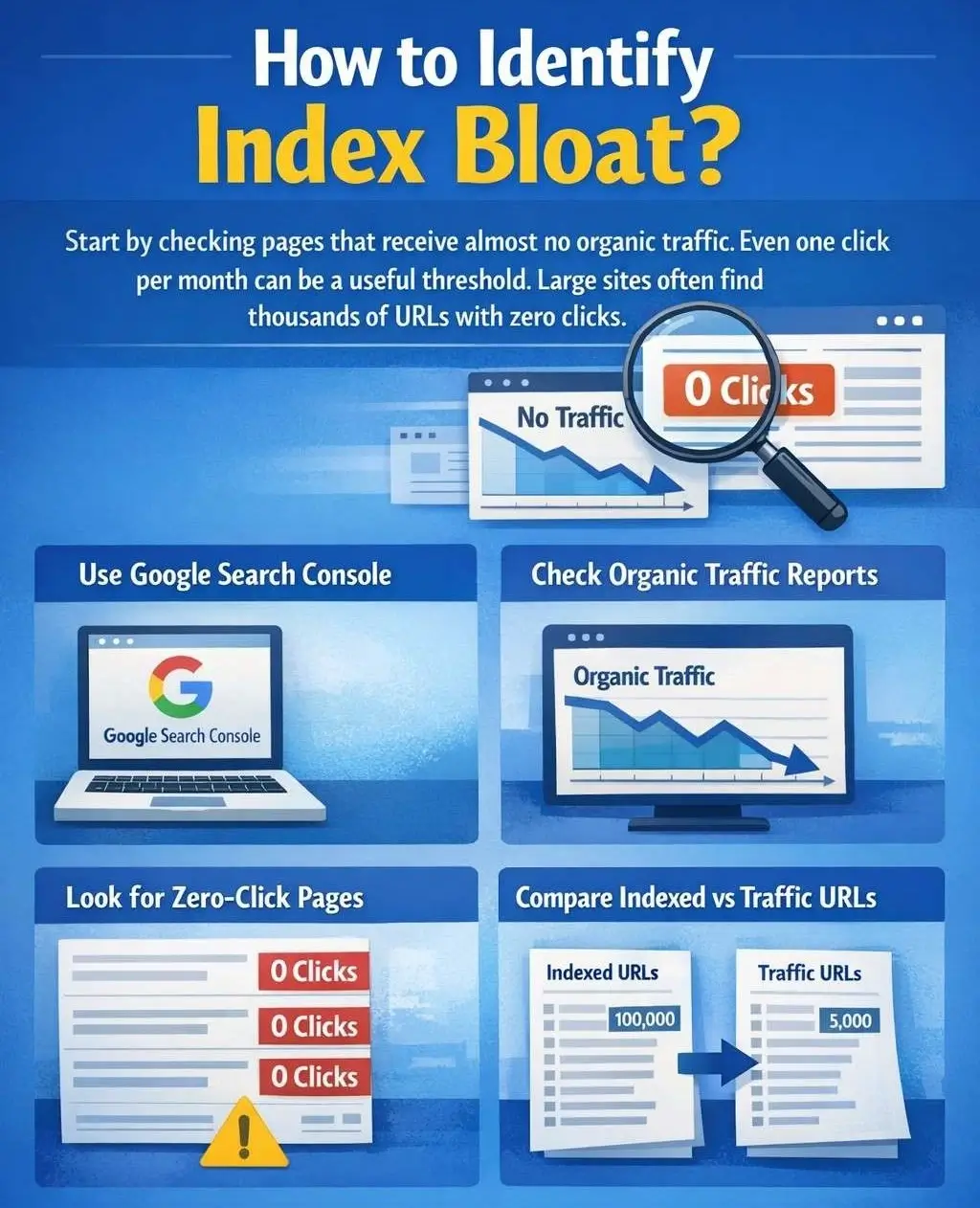
We should start by checking pages that receive almost no organic traffic. Even one click per month can be a useful threshold. Large sites often find thousands of URLs with zero clicks.
- Use Google Search Console
- Check organic traffic reports
- Look for zero-click pages
- Compare indexed vs traffic URLs
Don’t Ignore Other Traffic Channels
Before removing any page, we must check other channels. Some pages may support email campaigns, paid ads, or social media. Removing them without review can break marketing workflows.
- Check social traffic
- Review email landing pages
- Audit paid campaign URLs
- Confirm business usage
Find Pages Worth Improving
Not every low-traffic page should be deleted. Some pages have strong links, good content, or past performance. These pages deserve improvement instead of removal.
- Pages with backlinks
- Previously high-traffic pages
- Evergreen content
- Pages with ranking potential
Update and Refresh Valuable Pages
We can improve pages by updating content, fixing SEO issues, and matching search intent. This approach saves existing equity and converts weak pages into assets.
- Add fresh content
- Improve keyword targeting
- Fix technical issues
- Enhance user experience
Consolidate Similar Pages
When multiple pages serve the same purpose, consolidation works best. We can merge content into one strong page and redirect or canonicalize the weaker ones.
- Combine similar topics
- Create one authoritative page
- Use 301 redirects
- Apply canonical tags
Use Canonicals and Redirects Carefully
Canonicals work when pages remain accessible. Redirects work when pages are fully redundant. Choosing the wrong option can waste link equity and confuse search engines.
- Canonical for live pages
- Redirect for removed pages
- Match user intent
- Maintain relevance
When to Use Noindex or 404?
Some pages have no value at all. These should not stay indexed. We can use noindex for accessible pages and 404 for permanently removed pages. This step should be used carefully.
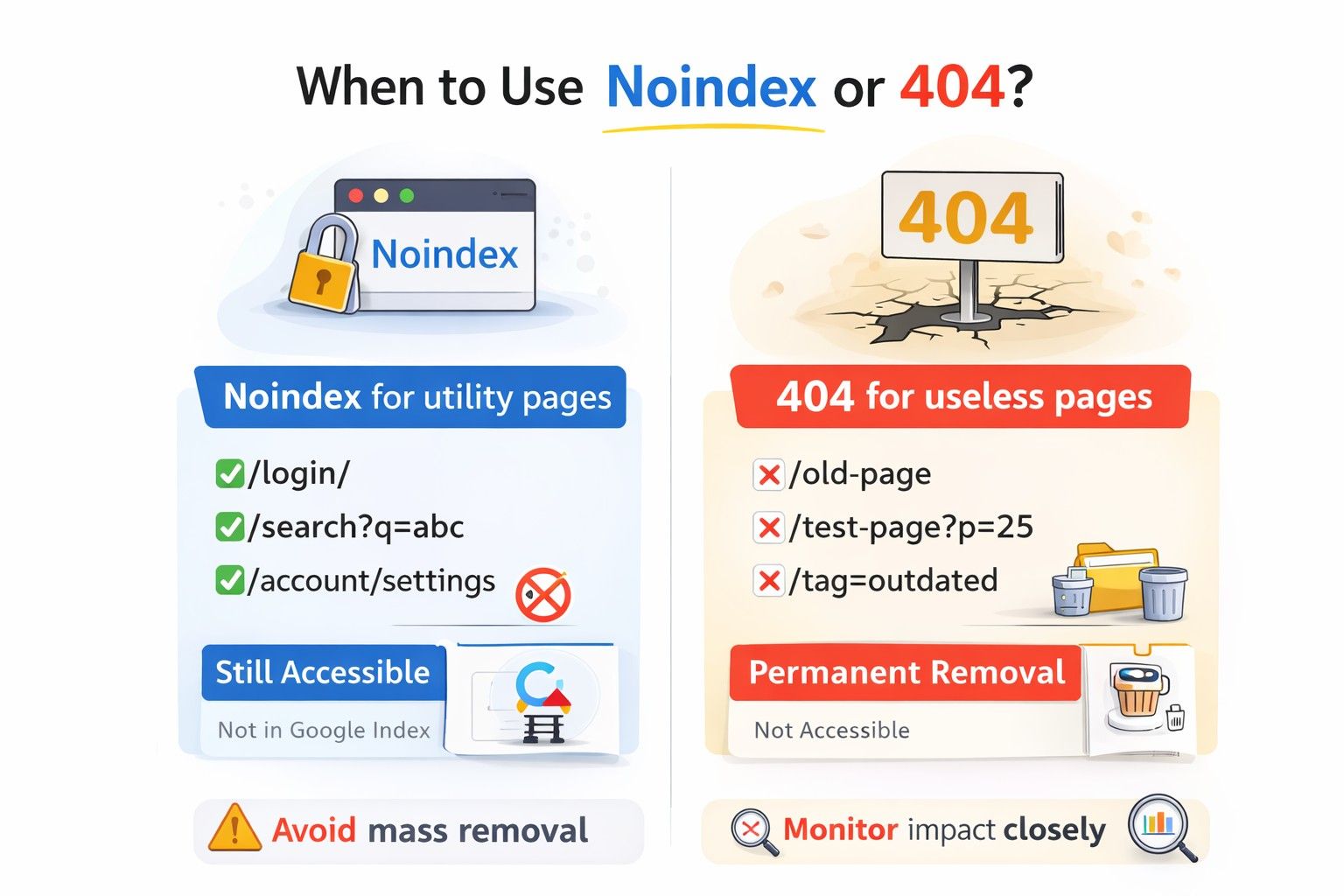
- Noindex for utility pages
- 404 for useless pages
- Avoid mass removal
- Monitor impact closely
Risks of Aggressive Cleanup
Removing too many pages at once can hurt SEO. Google may stop crawling important areas. We should always take a gradual and measured approach.
- Avoid bulk deletions
- Track performance changes
- Clean in phases
- Review after each step
Measuring Success After Cleanup
Index bloat cleanup does not give instant results. We should track index coverage, crawl stats, and organic traffic over time to see improvements.
- Reduced indexed URLs
- Better crawl efficiency
- Stronger rankings
- Higher traffic concentration
Ending Thoughts on Index Bloat
Index bloat is silent but dangerous. It grows slowly and damages SEO over time. By auditing, improving, consolidating, and removing the right pages, we can restore index health and unlock stronger search performance for medium and large websites.
- Audit regularly
- Publish with intent
- Control URL growth
- Focus on quality
Index Bloat FAQs
Index bloat happens when a website has too many indexed pages that get little or no organic traffic. These pages stay in Google’s index but do not help users or rankings. Over time, they reduce site quality and SEO performance.
Index bloat sends poor quality signals to Google. Many weak pages reduce trust in the website. This can lower rankings, dilute authority, and reduce crawl priority for important pages.
A large gap between indexed pages and traffic-generating pages is a strong sign. If many pages receive zero or near-zero clicks in Google Search Console, index bloat likely exists.
No. Being indexed does not mean a page is useful. Only pages that attract traffic and engagement show real value. Too many zero-click pages weaken overall site performance.
Crawl budget issues happen when Google cannot crawl all pages. Index bloat happens after crawling, when too many low-value pages are indexed but ignored in rankings.
No. Keyword cannibalization involves a few pages targeting the same topic. Index bloat is a large-scale issue with hundreds or thousands of weak pages affecting site trust.
Blogs, e-commerce sites, marketplaces, and user-generated platforms face it most. Auto-generated URLs, expired listings, thin content, and product variations cause major bloat.
No. Some pages have backlinks, past traffic, or ranking potential. These pages should be improved or refreshed instead of removed to preserve SEO value.
Use noindex for pages that should stay accessible but not indexed. Use redirects when merging pages. Use 404 only for pages with no value at all.
Results are gradual. Improvements appear over time through better crawl efficiency, fewer indexed URLs, stronger rankings, and more focused organic traffic.