
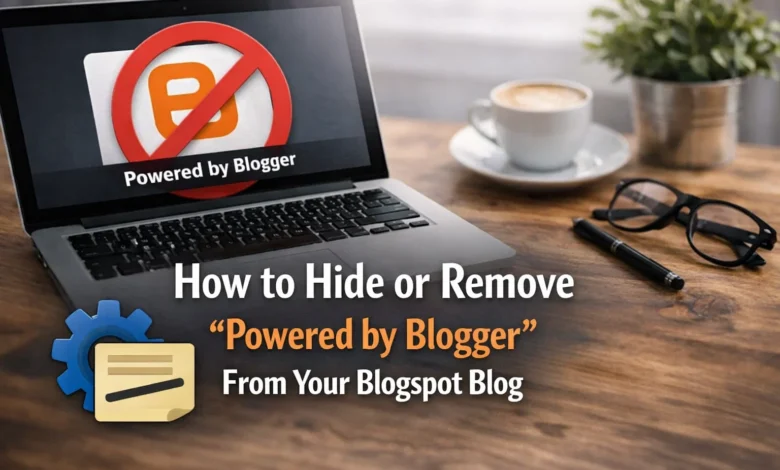
How to Hide or Remove the “Powered by Blogger” Attribution Gadget
If you’re using Blogger (Blogspot) to run your website, you’ve probably noticed the default “Powered by Blogger” credit that appears in the footer of your blog. While it’s included by default in all Blogger templates, many website owners prefer to remove it to make their blog look more professional and brand-focused.
In this guide, you’ll learn exactly how to hide or permanently remove the Powered by Blogger attribution widget from your blog layout — safely and without breaking your template.
Why Remove the “Powered by Blogger” Footer Credit?
Removing the attribution gadget can help you:
- Maintain a clean and distraction-free blog footer
- Improve branding by showcasing your own name or company
- Make your website appear more professional
- Customize your blog design without default platform credits
Important: Backup Your Template First
Before making any changes to your blog’s HTML code, it’s strongly recommended to take a full backup of your current theme. This ensures that you can quickly restore your layout if anything goes wrong during the editing process.
Steps to Remove Powered by Blogger Attribution Gadget
Follow these simple steps carefully:
Step 1: Log in to Your Blogger Dashboard
Sign in to your Blogger account and select the blog from which you want to remove the footer attribution.
Step 2: Backup Your Current Theme
Navigate to:
Dashboard → Theme → Backup
Download your existing theme file to your computer so you can restore it later if needed.
Step 3: Access the HTML Editor
Now go to:
Theme → Edit HTML
This will open the source code of your Blogger template.
Step 4: Expand Widget Templates
Inside the HTML editor, make sure to enable the “Expand Widget Templates” option. This allows you to edit locked widgets such as the attribution gadget.
Step 5: Find the Attribution Code
Press:
Ctrl + F (Windows) or Cmd + F (Mac)
Search for the following keyword:
attribution
You’ll find a section of code that looks similar to this:
showaddelement='no'
locked='true'
Step 6: Modify the Code
Replace the above values as follows:
- Change
showaddelement='no'to
showaddelement='yes' - Change
locked='true'to
locked='false'
This will unlock the Powered by Blogger widget in your layout section.
Step 7: Save the Template
Click the Save button to apply the changes to your theme.
Step 8: Remove the Attribution Widget
Now go to:
Layout → Attribution Gadget
You will now be able to edit or remove the widget.
Click on Remove to delete the “Powered by Blogger” text from your blog footer.
Done!
You have successfully removed the Powered by Blogger attribution from your Blogspot website. Your blog footer will now appear cleaner and more personalized according to your branding.



Thanks for the post.
Writing for the blog is a very interesting task for a content writer. The Advanced SEO course has been composed in an approach to building professional skill sets. This SEO certification course in Pune, offers the future professionals not only with the theoretical knowledge of working with SEO, but also provides practical experience on increasing the ranking of a website.
You really make it seem so easy with your presentation but I find this matter to be really something which I think I
would never understand. It seems too complicated and extremely broad for
me. I am looking forward for your next post, I’ll try to get the hang of it!
You are so cool! I do not suppose I’ve truly read something like this before.
So wonderful to find someone with genuine thoughts on this topic.
Really.. thank you for starting this up. This
web site is something that is required on the internet, someone with
a little originality!
yup very interesting and useful information you did provide in one single blog for those who are really interested in learning SEO
Thanks for writing such a good news, I stumbled onto your post and read a few post. I like your style of writing.
Thank you for sharing such an amazing content with us!!!!
thank you for this informative blog keep sharing
This article content is really unique and amazing.This article really helpful and explained very well.So i am really thankful to you for sharing keep it up..
It is a very nice website. I hope you will share some more informative posts on your website. These sites are the hosts bookmarking sites ever and ever and ever.
It is a wonderful reply to the question that has been asked since a longer time.Given answers were so immaculate that will open many eyes.
It is a very nice website. I hope you will share some more informative posts on your website. These sites are the hosts bookmarking sites ever and ever and ever.
Digital marketing is very popular nowadays. The post is very informative and useful. Thank you very much for such a constructive post.
Excellent article… This article is so helpful and enjoyable.
Thanks for sharing the tips for remove the powered by blogger from the blog..Thanks
Thanks for sharing great information. I am new blogger, I am looking for such kind of blog for a long time.
Thanks for the post.
Writing for the blog is taugh task for a content writer. But thanks for sharing nice information with us. Keep helping us with nice information. Specially new to this area, that will will help us a lot.
thanks for letting me comment here
Thanks
Very good blogger and thanks for sharing useful information ,Thank you and good luck.
Very good blogger and thanks for sharing useful information ,Thank you and good luck.
Thanks for sharing beautiful content. I got information from your blog. keep sharing
Oh wow I came here from a random link from another website. This is so informative content. There are many things to learn. I really appreciate your efforts. All concepts are so brief. So, plz keep sharing such a well explained concept.
Thanks for sharing such a nice content. Your site is really a informative site. Keep sharing these types of content.
Very Nice Post. I was checking constantly this blog and I am impressed! Very useful info specifically the last part ?? I care for such information much. Thank you and good luck.
Very good blogger and thanks for sharing useful information ,Thank you and good luck.