What Is Website Designing – Detailed Explanation?
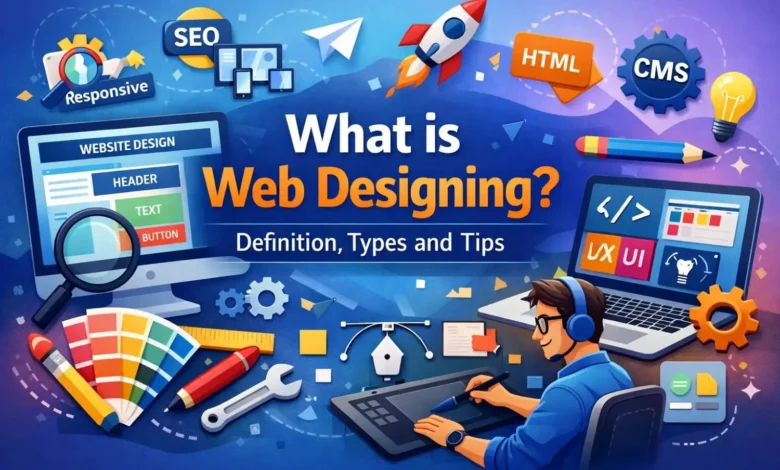
Web designing is a crucial aspect of creating a captivating and user-friendly online presence. It involves the meticulous process of planning, designing, and implementing the visual and interactive elements of a website. A well-designed website not only captures attention but also provides a seamless user experience.
Web design encompasses both the aesthetic and functional aspects of a website, incorporating elements such as responsive design, intuitive interfaces, and optimized performance. Effective web designing involves understanding the target audience, incorporating brand identity, and aligning with the goals of the website owner.
In my 11+ years of working on SEO and digital projects, I’ve seen firsthand how a poorly designed website can tank rankings and conversions — even when the content is excellent. Good web design is not just about aesthetics; it’s the bridge between your brand and your audience.
A professional web designer combines creative skills with technical knowledge – using tools like Figma, Adobe XD, or Webflow – to craft layouts that are visually appealing, fast-loading, and easy to navigate across all devices.
In simple terms: Web design = what your site looks like + how easy it is to use.
What Makes Web Design Quite Popular In Today’s World?
Having worked on dozens of client websites over the years, I can tell you that Google’s algorithms increasingly reward sites that deliver a genuinely good user experience. Here’s why web design is a critical factor today:
First Impressions Happen in Milliseconds
Research shows users form an opinion about your website within 50 milliseconds. A cluttered or outdated design immediately signals unprofessionalism and drives visitors away. I’ve personally seen bounce rates drop by 30–40% on sites after a clean redesign.
User Experience Drives Conversions
A well-structured, easy-to-navigate site keeps visitors engaged and guides them toward taking action – whether that’s making a purchase, filling out a form, or reading more content. Poor UX is one of the top reasons businesses lose potential customers online.
Mobile-First is Non-Negotiable
Over 60% of global web traffic comes from mobile devices. In India especially, most users browse via smartphones. A website that isn’t fully responsive is not just a UX problem – it’s an SEO problem, since Google uses mobile-first indexing to rank pages.
Design Directly Impacts SEO
Clean HTML structure, proper heading hierarchy, fast page speed, and accessible design all influence how search engines crawl and rank your website. I’ve seen technically well-designed sites jump multiple pages in rankings without any additional link building – just by fixing design and speed issues.
Branding and Trust
Consistent use of colors, fonts, and visual identity builds brand recognition. Visitors are more likely to trust and return to a website that looks polished and cohesive.
Accessibility and Inclusivity
Following accessibility standards (WCAG) ensures your site is usable by people with visual, auditory, or motor impairments – expanding your audience and demonstrating responsibility as a brand.
Conversion Rate Optimization (CRO)
Strategic design – including well-placed CTAs, clear value propositions, and minimal friction in user flows – directly increases the percentage of visitors who convert into customers or leads.
Key Benefits of Website Designing

Web design is essential for establishing a strong online presence, building brand reputation, engaging customers, and achieving business goals. A well-designed website serves as a powerful tool to connect with the target audience, boost visibility, and drive success in the online landscape. It offers numerous advantages in today’s world, catering to the needs and expectations of businesses, organizations, and individuals alike. Some of the key advantages of web design include:
24/7 Online Presence – It serves as a virtual storefront accessible 24/7, enabling businesses to showcase their products, services, and brand to potential customers worldwide.
Improved Search Visibility – Improved visibility means more organic traffic, which can lead to increased brand exposure, customer engagement, and potential conversions.
Better User Experience – A positive user experience leads to increased customer satisfaction, higher engagement levels, and improved chances of conversions.
Stronger Brand Identity – Consistent branding elements, such as colors, typography, and imagery, build brand recognition and foster trust with visitors. A professional and visually appealing website enhances credibility, encouraging users to perceive the brand as reliable and trustworthy.
Mobile Compatibility – With the increasing use of mobile devices, responsive web design has become crucial. Websites that adapt seamlessly to different screen sizes and resolutions ensure optimal user experiences across devices.
Competitive Edge – In a competitive market, a well-designed website gives businesses a competitive edge. A visually appealing and user-friendly website sets a positive first impression, differentiating the brand from competitors and capturing visitors’ attention.
Higher Conversion Rates – Web design incorporates elements and strategies that encourage visitors to take desired actions, such as making a purchase, signing up for a newsletter, or filling out a form.
Scalability and Flexibility – Web design allows for scalability and flexibility, enabling businesses to adapt and expand their online presence as their needs evolve.
Some Common Types of Web Design
When it comes to web design, there are several different types or styles that designers can employ to create unique and engaging websites. These are just a few examples of the various types of web design. Each type offers unique visual elements, layouts, and functionalities to cater to different purposes, industries, and target audiences. Web designers often combine elements from different types to create customized designs that meet the specific needs of their clients.
Minimalist Design
This type of design focuses on simplicity, with clean lines, ample white space, and a limited color palette. Minimalist design prioritizes the essential elements and emphasizes clarity and functionality.
Flat Design
Flat design features a two-dimensional, minimalistic aesthetic, with a focus on simplicity and clean typography. It avoids the use of shadows, gradients, or textures, opting for a more streamlined and modern look.
Responsive Design
With the increasing use of mobile devices, responsive design has become crucial. This design approach ensures that websites adapt and display optimally on various screen sizes and resolutions, providing a seamless user experience across devices.
Material Design
Developed by Google, material design focuses on using tactile, real-world inspired elements to create depth and hierarchy in the design. It utilizes shadow, light, and motion effects to provide a more interactive and engaging user experience.
Typography-driven Design
This type of design emphasizes the creative use of typography to communicate and convey the brand’s message. It often features large, bold typography as the focal point of the design, creating visual interest and enhancing readability.
Illustrative Design
Illustrative web design incorporates custom illustrations, icons, or graphics to add personality, storytelling, and a unique visual appeal to the website. It can create a playful or whimsical atmosphere and effectively convey complex ideas or concepts.
Parallax Scrolling
Parallax scrolling creates a sense of depth by moving different layers of the website at different speeds as the user scrolls. It adds visual interest and interactivity, making the browsing experience more engaging and immersive.
One-page Design
Also known as single-page design, this approach condenses all the essential information into a single page, eliminating the need for users to navigate through multiple pages. It provides a seamless and intuitive scrolling experience.
E-commerce Design
E-commerce design focuses on creating user-friendly interfaces and clear pathways for product browsing, selection, and purchasing. It emphasizes product showcases, easy navigation, and secure checkout processes.
Corporate Design
Corporate web design is tailored to suit the branding and communication needs of businesses. It often features a professional, polished aesthetic with clear information architecture, showcasing products, services, and company details.
Practical Web Design Tips (From Real-World Experience)
These are tips I’ve applied across multiple projects — they make a genuine difference:
- Prioritize page speed above all. Use tools like Google PageSpeed Insights regularly. Slow sites lose visitors before they even see your content. Compress images, use lazy loading, and minimize render-blocking scripts.
- Design for mobile first, then scale up. Start your design at 375px width and build outward. This forces you to prioritize the most important elements.
- Keep navigation simple. Limit your main menu to 5–7 items. Complex navigation overwhelms users and increases bounce rates.
- Use white space intentionally. Breathing room around elements makes content easier to read and gives your design a premium feel.
- Maintain visual hierarchy. Your most important information (headline, CTA) should be the first thing users notice. Use size, contrast, and placement to guide the eye.
- Test across multiple browsers and devices. What looks perfect on Chrome desktop can break on Safari mobile. Always test before publishing.
- Align design with your SEO strategy. Work with your SEO team or refer to your keyword strategy when structuring page layouts and headings. Design and SEO should work together, not in silos.
- Add trust signals. Testimonials, star ratings, security badges, and recognizable brand logos build immediate credibility with new visitors.
Final Thoughts
Web design is far more than making something look good – it’s about creating digital experiences that earn trust, guide users, and achieve real business outcomes. Whether you’re a beginner exploring your first website or a business owner looking to improve your online presence, investing in quality web design is one of the highest-return decisions you can make.
If you have questions about web design, SEO, or improving your website’s performance, feel free to reach out or leave a comment below. I’m happy to help.
Web Designing FAQs
Web designing is the process of creating the visual layout, structure, and user experience of a website – covering everything from colors and fonts to navigation and page speed.
Web design focuses on how a site looks and feels (UI/UX), while web development handles the code and functionality that makes it work. Both are essential — and the best websites are built when designers and developers collaborate closely.
Web design is all about the visual appearance and user experience of a website, while web development focuses on building the functionality and coding that make the website work.
A solid foundation in HTML and CSS is essential. Beyond that, knowledge of UI/UX principles, typography, color theory, and tools like Figma or Adobe XD will set you apart. Understanding SEO basics is increasingly valuable as well.
The most widely used tools include Figma (for UI design and prototyping), Adobe XD, Canva (for quick graphics), WordPress (for CMS-based sites), Webflow (for no-code/low-code builds), and browser developer tools for testing.
The main types include responsive design, minimalist design, flat design, material design, parallax scrolling, one-page design, e-commerce design, and corporate design — each suited to different business goals and audiences.
Absolutely. Demand for skilled web designers continues to grow, with opportunities in freelancing, agencies, in-house roles, and remote work. Combining design skills with UX knowledge and basic SEO understanding makes you especially competitive.
Responsive web design ensures a website looks and functions correctly on all screen sizes — desktop, tablet, and mobile — using flexible grids and media queries to adapt the layout dynamically.
You can learn the basics in 2–3 months through structured online courses. Becoming proficient enough to take on real client projects typically takes 6–12 months of consistent practice and hands-on work.
Yes. Tools like Webflow, Wix Studio, and WordPress page builders (Elementor, Kadence) allow beginners to design and build professional websites with minimal coding. However, learning HTML and CSS fundamentals will always give you a significant edge.