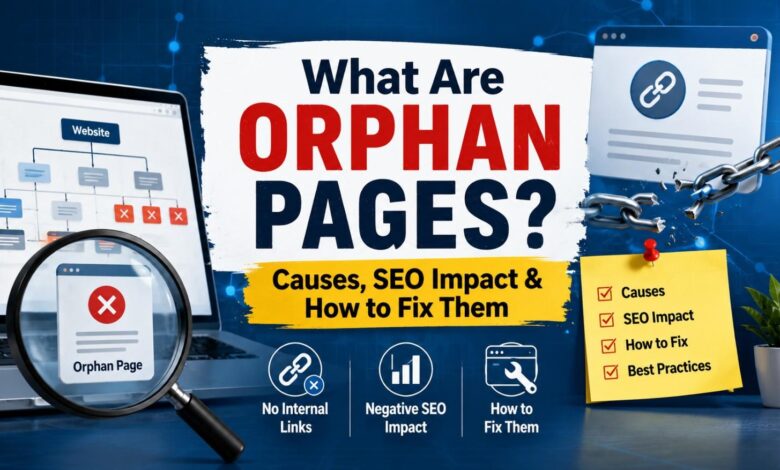
You publish a page, wait for it to start pulling in traffic, and… nothing happens. Weeks later you’re digging through Google Search Console and notice it: zero clicks, zero impressions, barely any crawl activity – even though the page has been live the whole time. It’s not a ranking problem. It’s not a content quality problem. It’s an orphan page problem, and if you manage a website of any real size, chances are you have more of them than you’d like to admit.
Orphan pages are one of those quiet SEO issues that rarely show up as an obvious “error” in your dashboards, which is exactly why they tend to pile up unnoticed. In this guide, we’ll walk through what orphan pages actually are, why they happen, the real impact they have on your SEO performance, and a practical process for finding and fixing them – the same approach used in day-to-day technical SEO audits.
What Is an Orphan Page?
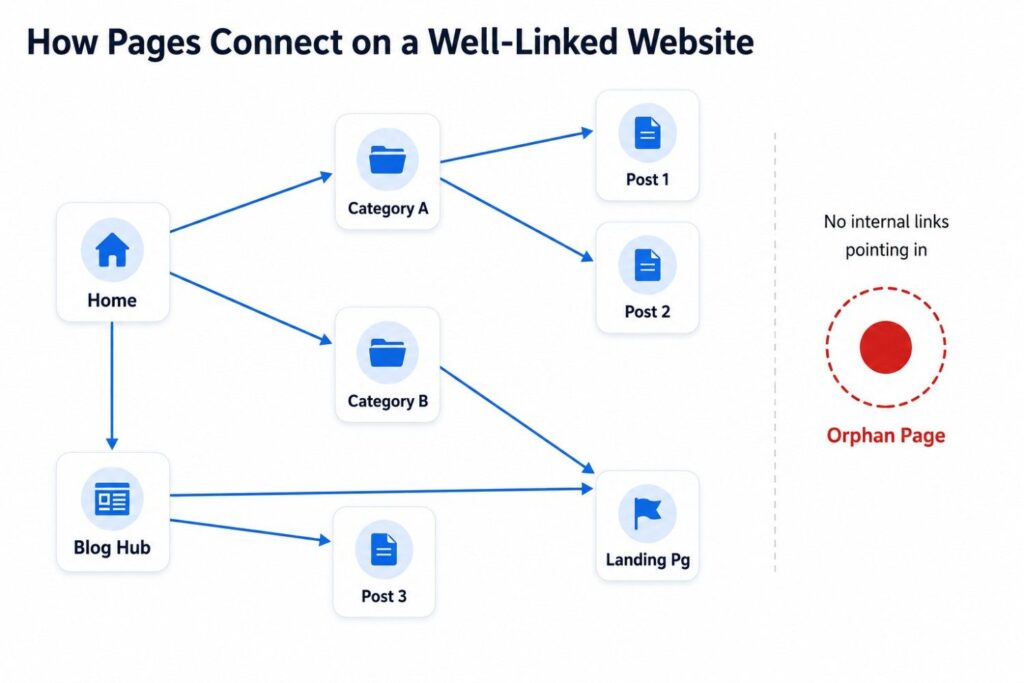
An orphan page is a page on your website that is fully live and accessible by direct URL but has no internal links pointing to it from anywhere else on the site. Search engines and visitors can only reach it through a sitemap, an external backlink, or by typing the exact URL – never by browsing the site normally.
Think of it like a house built at the end of a street with no road connecting it to the rest of the neighborhood. The house is real, it’s finished, someone could technically live there – but nobody driving through town would ever stumble across it. That’s exactly what happens to an orphan page: it exists, but your own website gives no one a path to it.
A common real-world example: a marketing team builds a landing page for a product launch or seasonal campaign, links to it heavily from ads and email for a few weeks, then moves on to the next campaign. The page is still live, still indexed in places, but once the external links stop sending traffic, there’s nothing on the site itself pointing back to it. It quietly becomes an orphan.
How Do Orphan Pages Happen?
Orphan pages are almost never intentional. They’re usually a side effect of normal site activity – the kind of small, everyday changes that add up over time if internal linking isn’t actively maintained.
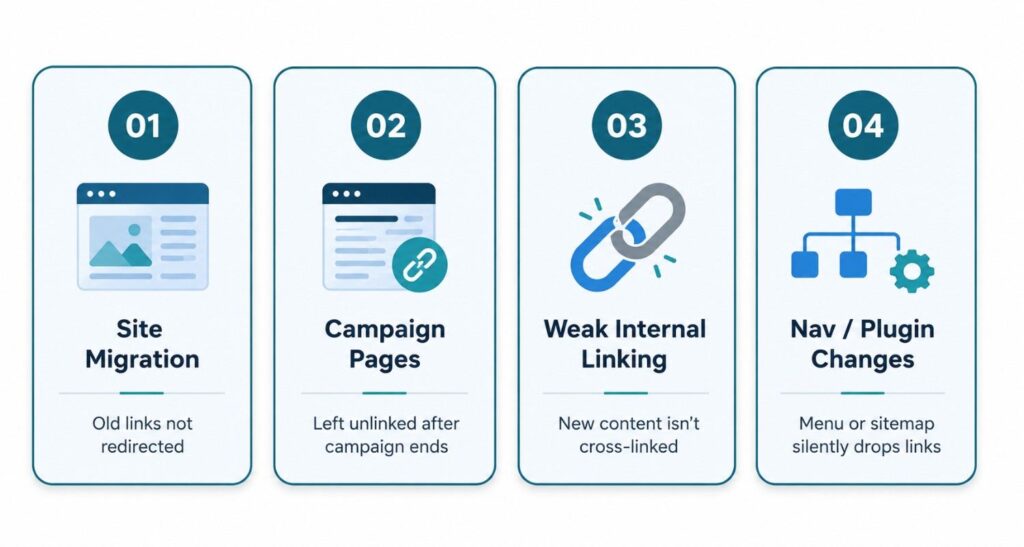
Site redesigns and migrations. When a website moves to a new platform, theme, or URL structure, old internal links often don’t get remapped correctly, leaving previously well-linked pages stranded.
Forgotten campaign or landing pages. Pages built for a specific promotion, ad campaign, or email send are frequently never added to the site’s permanent navigation or related-content sections.
Inconsistent internal linking habits. New blog posts go live without linking to relevant older articles (or older articles never get updated to link to newer, related content).
Navigation, sitemap, or plugin changes. A menu redesign, a faceted-navigation update, or even a plugin conflict can silently remove links to pages that are still very much live.
Why Orphan Pages Hurt Your SEO
Orphan pages don’t just sit there harmlessly – they create real, measurable drag on your SEO performance, especially at scale.
Wasted crawl budget. Search engines allocate limited resources to crawling your site. When they can’t efficiently discover pages through internal links, that budget gets spent inefficiently instead of being focused on your priority content.
No link equity flow. Internal links are one of the main ways authority moves around your site. An orphan page can’t inherit ranking strength from your strongest, most-linked pages – it’s cut off from that flow entirely.
Slower indexing and weaker rankings. Pages that are crawled less frequently tend to have ranking updates reflected more slowly, even when the content itself is genuinely strong.
Lost traffic and conversions. It’s not just a crawler problem – real visitors browsing your site can’t find the page either, which quietly erodes traffic and conversion potential on pages that may otherwise perform well.
How to Find Orphan Pages on Your Website (Step-by-Step)
Finding orphan pages comes down to comparing what actually exists on your site against what’s internally linked. Here’s the process we use:
- Run a full site crawl. Use a crawler like Screaming Frog or Sitebulb to map every URL that’s discoverable through your site’s internal links.
- Pull your indexed and submitted URLs. Export your XML sitemap and your indexed URL list from Google Search Console.
- Compare the two lists. Any URL that appears in your sitemap or Search Console but doesn’t show up in the crawl’s internal link graph is very likely an orphan page.
- Cross-check with analytics. Review Google Analytics (GA4) landing page reports for URLs receiving direct or organic traffic that never appeared in your crawl – these are pages people (or search engines) are reaching through means other than your site’s own navigation.
Once you have that list, prioritize by traffic potential and business value – not every orphan page is worth fixing, but most are worth a second look.
Orphan Pages vs. Dead-End Pages vs. Broken Links
These three terms get mixed up often, so here’s a quick, clear breakdown of each.
Is an orphan page the same as a dead-end page?
No. An orphan page has no links pointing in from the rest of the site. A dead-end page is the opposite problem – it receives internal links just fine, but doesn’t link out to anything else, which can strand visitors once they land there.
Is an orphan page the same as a 404 error?
No. A 404 page no longer exists at all – the URL is broken. An orphan page is fully live and functional; it’s simply disconnected from your site’s internal linking structure, which makes it a much easier fix than a dead URL.
Is an orphan page the same as a noindex page?
No. A noindex page is deliberately excluded from search results by the site owner. An orphan page is usually unintentional, and depending on how it was discovered, it can still be indexed and even receive some search traffic.
How to Fix Orphan Pages
Once you’ve identified your orphan pages, fixing them is usually a matter of reconnecting them to your site’s structure – or making a deliberate call to retire them.
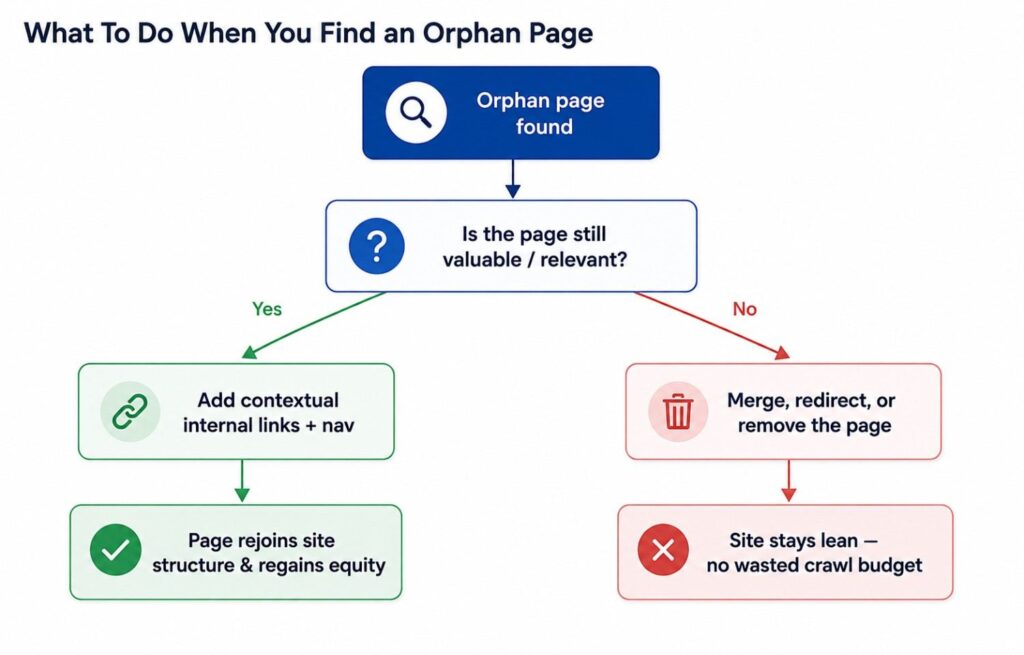
Add contextual internal links. Link to the orphan page from relevant, high-traffic pages and blog posts where it naturally fits the topic.
Update navigation and hub pages. Make sure the page is reachable through your site’s menu, footer, or a relevant category/hub page – not just the sitemap.
Evaluate before you commit. Decide whether to keep and link it, merge it into a stronger related page if it’s thin, redirect it if it’s outdated, or remove it entirely if it no longer serves a purpose.
Make it a recurring habit. Set up a quarterly orphan-page audit using your crawler of choice so new orphan pages get caught early instead of quietly accumulating.
Final Thoughts: Turn Orphan Pages Into an Easy SEO Win
Orphan pages aren’t a sign that your content is bad – they’re a sign that your internal linking hasn’t kept pace with how much your site has grown. The good news is that fixing them is usually a straightforward, high-leverage cleanup rather than a major overhaul, and it’s one of the few SEO fixes that can show measurable movement within a few crawl cycles.
If you haven’t checked for orphan pages recently, now’s a good time to run the audit process outlined above. And if you’d rather have a second set of eyes on it, that’s exactly the kind of technical SEO cleanup worth getting right the first time.
Ready to see how many orphan pages are quietly costing you traffic? Get a free orphan-page audit and get a clear, prioritized list of pages to fix – no guesswork required.
Frequently Asked Questions
An orphan page is any live page on your website that has zero internal links pointing to it, so search engine crawlers and site visitors can only find it through a direct URL, sitemap, or external link – not by browsing the site itself.
Occasionally, yes – if it’s in the XML sitemap or has an external backlink, Google may still index and rank it. But without internal links passing authority and context, it usually ranks weaker and less consistently than properly linked pages.
There’s no universal number, but in most audits we run, anything above 2–3% of total indexed URLs signals a structural linking problem worth fixing, especially on sites with 500+ pages.
Mainly the orphan page itself suffers, but at scale, a high volume of orphan pages wastes crawl budget and signals a disorganized site architecture, which can indirectly slow indexing of new content site-wide.
Cross-reference a full site crawl (via Screaming Frog or Sitebulb) against your XML sitemap and Google Search Console’s indexed URL list – any URL that appears in the sitemap or GSC but not in the crawl’s internal link graph is orphaned.
No. A 404 page doesn’t exist anymore, while an orphan page is fully live and functional – it’s just structurally cut off from internal navigation and links, which makes it far easier to fix than a broken URL.
Yes, in our experience auditing content-heavy sites, blog and campaign landing pages are the most common orphan pages because they’re published, promoted briefly, then left without ongoing internal links as newer content takes priority.
Yes – reconnecting orphan pages through relevant internal links helps Googlebot discover and re-crawl them through normal site navigation instead of relying solely on the sitemap, which makes crawling more efficient across the whole domain.
Only if the page is outdated, low-value, or duplicate content. If it still serves a purpose or ranks for relevant keywords, adding internal links back to it is almost always the better first move before considering removal.
For most growing websites, a quarterly orphan-page audit is a reasonable baseline; larger sites publishing content weekly, or sites that recently went through a redesign or migration, should check monthly until the internal linking structure stabilizes.