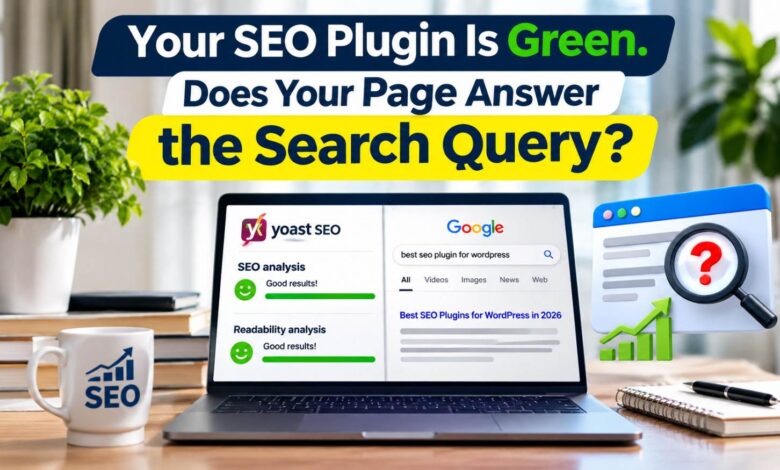
A green SEO score can make a WordPress page feel ready to publish. Your keyword appears in the expected places, the description passes a length check, and the plugin reports few remaining issues. Yet the visitor may still struggle to understand what the page offers.
The 2025 Web Almanac by HTTP Archive found title tags on 98.54% of mobile pages in its dataset, while 67.2% contained meta descriptions. These figures measure whether elements exist, not whether they explain the page well. The same distinction matters when you interpret a plugin score: a completed check is useful evidence, but it is not a complete content review.
A Plugin Score Shows Checked Patterns, Not Complete Relevance
SEO plugins help you identify issues that are easy to overlook during editing. Depending on the tool and its settings, they may check keyword placement, description length, links, image attributes, or readability. These checks make routine work easier, but their results depend on the rules and information available to the tool.
Consider a page targeting “WordPress migration service.” The phrase appears in the title, opening paragraph, and several headings. The description is present, and the copy contains internal links. A checklist can recognize those patterns even if the page never explains whether the service includes email accounts or only the website.
The missing explanation matters more to a potential customer than another keyword occurrence. Someone planning a move needs to know what transfers, what they must provide, and what checks happen afterward. A score does not establish that those questions have been answered accurately.
You can interpret each result by asking what the check actually measures. A keyword-placement check confirms wording in a location. A link check confirms that a link exists. Neither result, by itself, proves that the content or destination helps the intended reader.
The focus keyphrase is usually a phrase you enter to guide the plugin’s analysis. Entering it does not tell Google which query should rank the page. You still need to assess whether the subject, explanation, and page type match the searcher’s task.
A Clear Page Purpose Makes SEO Checks More Useful
A page often becomes unclear before the plugin evaluates it. Your team may combine a service offer, a migration tutorial, a hosting comparison, and troubleshooting advice because all four involve WordPress. The content shares a subject, but it serves several different needs.
A person searching for a migration provider may want to compare scope and responsibilities. Someone searching for migration instructions needs steps they can follow. If your service page spends most of its space on a tutorial, the keyword can be correct while the answer remains poorly matched.
Search intent means the task behind a query. You can define your page’s purpose in one sentence before making further edits: “This page helps website owners assess whether our migration service fits their planned move.” That sentence gives you a practical test for each section.
SparkSEO, an SEO agency, describes its on-page SEO services around a focused keyword group, helpful content, and a clear next step. This provides a useful principle for reviewing plugin recommendations: titles, headings, images, and links should support the same page purpose rather than operate as separate targets.
A keyword group contains related searches that one useful page can address. For the migration example, questions about service scope and post-migration checks may fit together. Detailed repair instructions may need a separate guide because they serve a different task.
You can compare a few representative search results to understand the expected page type and questions. The aim is to identify reader needs, not copy competitors or match their word counts. Your page should answer those needs with information your business can verify.
A Worked Example Shows What a Green Score Can Miss
Imagine a hypothetical provider whose page opens with this statement: “Our WordPress migration service delivers a smooth transfer with expert support.” The following sections repeat benefits such as reliability and convenience. The wording includes the target phrase, but the visitor still cannot evaluate the actual service.
The main gap is scope. Does the provider transfer the database and uploaded files? Does it handle domain changes, email accounts, or paid plugin licences? Without those distinctions, the visitor may interpret a broad promise differently from the team delivering the work.
You can replace the general statement with a specific explanation based on the approved service. For example, a provider might state that its standard package transfers website files and the database, while email migration requires a separate agreement. The useful change is the distinction, not the extra sentence length.
The next section can explain verification. Instead of saying “Everything works perfectly,” the provider can identify the checks it actually performs, such as reviewing key pages and testing agreed forms. This gives the reader something concrete to assess without implying that every possible function has been tested.
A further paragraph can explain the customer’s responsibilities. If access credentials, licence details, or approval of the destination hosting are necessary, that information belongs on the page. Explaining these requirements helps visitors prepare and reduces uncertainty about the process.
Your title and main heading can then describe the same offer. A title promising complete hosting management would misrepresent a migration-only service, even if it passed a length check. Consistency matters because the reader should find the offer they expected after clicking.
None of these edits guarantees a ranking improvement. They make the page more accurate and useful, which is the part your team can directly control. The plugin remains helpful for checking implementation after the content decisions are sound.
Some Recommendations Need Context Before You Apply Them
Problems arise when every warning becomes an instruction to add something. A page may accumulate repeated phrases, unnecessary paragraphs, unrelated links, or keyword-filled image descriptions simply to improve its score. The tool’s suggestion becomes the goal, while the reader’s task receives less attention.
For example, adding the migration phrase to every heading may satisfy a repetition rule but make the outline harder to scan. The headings stop distinguishing scope, requirements, and verification. You can resolve this by checking the reason behind the warning before changing the copy.
Keyword and Length Checks Should Not Create Quotas
A repetition warning can encourage you to replace precise language with the same phrase throughout the page. A length warning can encourage extra paragraphs even when the answer is complete. Both changes may increase the amount of text without increasing its value.
You can use the target phrase where it accurately identifies the subject, then use natural wording for the details. Google states that it has no preferred word count for content. The practical question is whether a section adds an explanation, example, condition, or evidence that the reader needs.
Internal Links Should Answer a Follow-Up Question
A link-count recommendation may lead you to insert destinations that share a keyword but do not help the visitor. A migration page linking to a general WordPress news article may add a link without supporting the decision. The reader has to judge its relevance after leaving the page.
You can choose a destination from the question that naturally follows the paragraph. A discussion of customer access requirements might link to a relevant preparation guide. Descriptive link text explains the destination, while selective placement avoids interrupting the main answer.
Image Descriptions Should Reflect Information or Function
An image check may flag a missing text alternative, but it cannot reliably establish the purpose of every image in context. A process screenshot and a decorative background serve different roles. Giving both the same keyword-filled description creates noise rather than clarity.
The World Wide Web Consortium’s Web Accessibility Initiative states: “Images must have text alternatives that describe the information or function represented by them.” You can describe the essential information in an informative image, use an empty alt attribute for a purely decorative image, and describe the destination or action when an image functions as a link or button.
A Human Review Should Decide Whether the Page Is Ready
A page can pass editorial checks inside WordPress and still fail in the published version. A template may display a different heading, a link may lead to an outdated resource, or essential information may appear only inside an image. Reviewing the editor alone leaves these problems outside your assessment.
You can review the page in three passes. First, read it without looking at the plugin panel and assess whether it fulfils its purpose. Second, examine the plugin results and resolve genuine implementation issues. Third, inspect the published page on desktop and mobile.
A compact content review can ask:
- Can the intended reader understand the offer and its limits?
- Does each claim have an accurate explanation or supporting evidence?
- Do the title, visible content, and next step describe the same task?
When we separate these questions from the score, the tool becomes easier to use well. You can fix a missing description without treating its presence as proof of relevance. You can also leave a recommendation unresolved when following it would make the page less clear, provided you understand what the warning means.
For health, legal, financial, or other high-impact subjects, an SEO review cannot replace qualified factual review. Your team may need to verify claims, disclosures, and professional responsibilities before publication. A green indicator cannot confirm that the advice is safe or appropriate for an individual reader.
After publication, Search Console can help you examine relevant queries and page performance. You can also review whether visitors understand the offer and take suitable next steps. Rankings, clicks, and enquiries can change for several reasons, so the evidence should guide further investigation rather than justify automatic claims of success.
The same human-first standard applies when you hope to appear in AI-generated search answers. Clear content and verified information remain useful, but no plugin score guarantees a citation. Your final approval should rest on an accurate answer that serves the reader, with the tool supporting that judgment rather than replacing it.